
Automation
Automation: The Smarter Way to Work, Scale & Grow
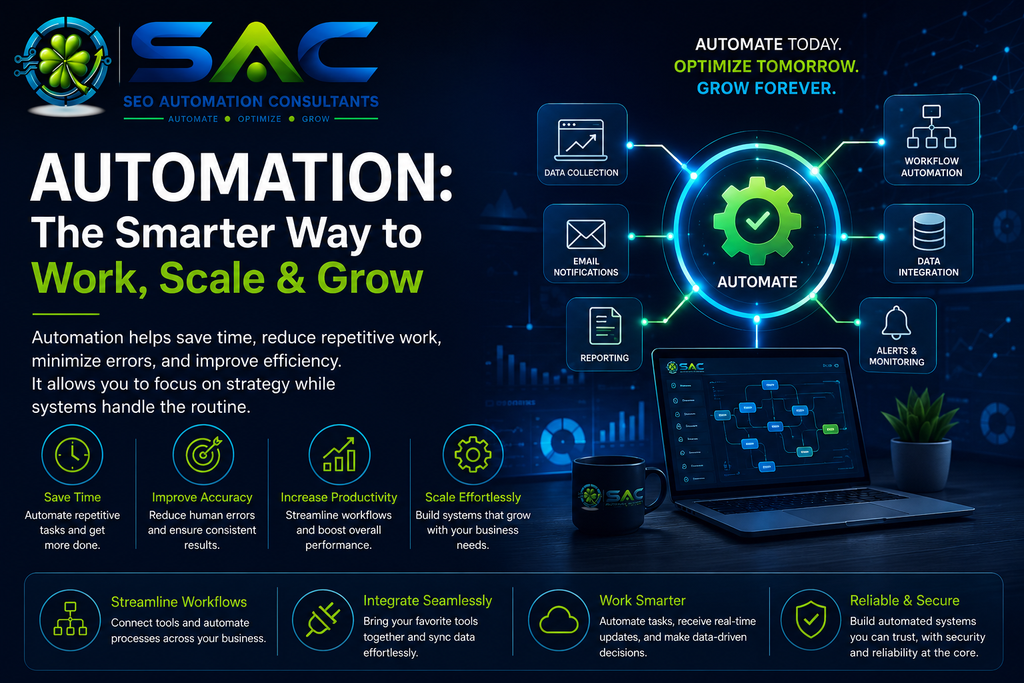
Automation is changing the way people and businesses work.
Many digital processes still depend on repetitive manual tasks such as collecting information, moving data between systems, checking reports, sending notifications, updating spreadsheets, and performing routine calculations.
Automation allows these repetitive processes to be handled by software with minimal manual intervention.
The goal is not simply to make work faster. Good automation can make processes more consistent, reduce unnecessary effort, improve accuracy, and create more time for work that requires human judgment.
What Is Automation?
Automation is the use of technology to perform tasks or processes with limited human intervention.
A simple automated workflow might look like:
Trigger → Data → Processing → Decision → Action → Result
For example, when new information enters a system, an automated workflow can process that information, apply predefined rules, store the result, and notify the appropriate person.
Automation can range from a single repetitive task to a complex workflow involving multiple applications and data sources.
Why Automation Matters
Most organizations perform many tasks repeatedly.
Some of these tasks require expertise and judgment. Others follow the same steps every time.
Automation is particularly useful for the second category.
Common benefits include:
- Saving time
- Reducing repetitive work
- Improving consistency
- Reducing manual errors
- Increasing productivity
- Improving data flow
- Creating faster reporting
- Supporting scalable processes
The biggest value often comes from allowing people to spend less time moving information around and more time using that information.
How Automation Works
A typical automated process has several components.
1. Trigger
The workflow needs something to start it.
A trigger could be:
- A new form submission
- A scheduled time
- A new email
- A database update
- A website event
- A file upload
- A change in an application
- An API request
2. Data Collection
The automation collects the information required to perform the task.
Data may come from:
- Websites
- Forms
- Databases
- Spreadsheets
- APIs
- CRM systems
- Analytics platforms
- Cloud applications
3. Processing
The workflow then processes the information.
This could involve:
- Filtering
- Sorting
- Calculating
- Formatting
- Categorizing
- Validating
- Transforming data
4. Decision Making
Some workflows require rules before taking action.
For example:
If condition A is true → perform action A.
If condition B is true → perform action B.
This allows automated systems to handle different situations without requiring someone to manually inspect every record.
5. Action
After processing the information, the workflow performs an action.
This could include:
- Sending an email
- Updating a database
- Creating a report
- Sending a notification
- Updating a spreadsheet
- Creating a task
- Publishing information
- Starting another workflow
Workflow Automation
Workflow automation connects multiple steps into a structured process.
Instead of completing:
Task 1 → Task 2 → Task 3 → Task 4
manually, an automated workflow can connect these steps so that information moves between them automatically.
This is especially useful when the same sequence occurs repeatedly.
A well-designed workflow should make the process easier to understand rather than simply adding more technology.
Automation and APIs
APIs allow different software systems to communicate with one another.
For example, one application can request information from another application through an API and use that information inside an automated workflow.
This makes it possible to connect systems that were not originally designed to work together directly.
A simplified example is:
Application A → API → Automation → Application B
APIs are therefore an important building block for modern automation.
Automation and AI
Traditional automation generally follows predefined rules.
AI can introduce another layer of intelligence.
For example, an automated workflow may use AI to:
- Classify text
- Summarize information
- Extract important details
- Analyze documents
- Categorize incoming requests
- Generate draft content
- Identify patterns
- Interpret natural language
This creates a combination of:
Automation + AI + Data + Rules
Traditional automation handles predictable processes, while AI can help with tasks where interpretation or unstructured information is involved.
Automation in SEO
SEO contains many repetitive activities that can benefit from automation.
Examples include:
- Collecting ranking data
- Monitoring website changes
- Checking technical issues
- Collecting Search Console data
- Generating recurring reports
- Tracking organic traffic
- Monitoring keywords
- Identifying broken links
- Organizing content data
- Sending alerts
Automation does not replace SEO analysis.
Instead, it can reduce the amount of time spent collecting and organizing information so that more attention can be given to interpretation and decision-making.
Data Automation
Data is often moved between multiple systems during everyday digital work.
Manual data movement creates opportunities for:
- Typing errors
- Missing information
- Duplicate records
- Delays
- Inconsistent formatting
Automation can move and transform data according to predefined rules.
For example:
Source → Validation → Transformation → Destination
This can create a more consistent and repeatable data pipeline.
Reporting Automation
Recurring reports are another common automation opportunity.
Instead of manually collecting information from several platforms every week or month, an automated process can collect the required data and prepare it for analysis.
Automated reporting can help with:
- SEO reports
- Website performance
- Marketing metrics
- Sales information
- Operational dashboards
- Analytics summaries
The important part is not simply generating a report automatically.
The report should present information in a way that makes it easier to understand and act upon.
Automation and Human Decision-Making
Automation works best when technology and human judgment have clearly defined roles.
A useful principle is:
Automate the repetitive. Keep humans responsible for the important decisions.
For example, software can collect and organize hundreds of records, while a person can review the important findings and decide what action should be taken.
This approach can improve efficiency without removing human oversight.
When Should a Process Be Automated?
Not every process should be automated.
Automation is usually worth considering when a task is:
- Repetitive
- Rule-based
- Time-consuming
- High-volume
- Predictable
- Prone to manual errors
- Dependent on moving information between systems
A task may not be suitable for complete automation when it requires complex judgment, empathy, creativity, or unpredictable decision-making.
Common Automation Mistakes
Automation can create problems when it is implemented without understanding the underlying process.
Common mistakes include:
- Automating a poorly designed workflow
- Adding unnecessary complexity
- Ignoring error handling
- Failing to monitor automated processes
- Giving systems excessive access
- Not documenting workflows
- Creating too many disconnected automations
- Removing human review where it is necessary
- Depending on a single system without considering failures
Automation should simplify a process, not make it harder to understand.
Security and Automation
Automated workflows often interact with important data and external systems.
Security therefore needs to be considered from the beginning.
Important principles include:
- Use appropriate access controls
- Limit permissions
- Protect credentials and API keys
- Avoid unnecessary data collection
- Monitor important workflows
- Log significant actions
- Handle failures safely
- Review connected applications regularly
A reliable automation system should be designed with security and privacy in mind rather than treating them as an afterthought.
Monitoring Automated Workflows
An automation that runs without supervision can still fail.
Applications change.
APIs become unavailable.
Credentials expire.
Data formats change.
Websites are redesigned.
For this reason, important automated workflows should have appropriate monitoring and error handling.
Useful mechanisms can include:
- Error notifications
- Logs
- Status checks
- Retry mechanisms
- Failure alerts
- Regular workflow reviews
Automation should reduce manual work without becoming invisible and unmanaged infrastructure.
The Future of Automation
Automation is moving beyond simple task execution.
The combination of AI, APIs, cloud platforms, databases, and workflow systems is making it possible to build increasingly intelligent processes.
Future workflows may be able to:
Understand → Analyze → Decide → Act → Learn from Results
However, greater automation also creates a greater need for responsible design.
The objective should not be to automate everything.
The objective should be to determine where automation creates genuine value and where human involvement remains essential.
The Bigger Picture
Automation is fundamentally about improving how work gets done.
A good automated process removes unnecessary repetition, connects information, reduces friction, and gives people more time to focus on meaningful work.
When automation is combined with AI and reliable data, it can become much more than a time-saving tool.
It can become part of a broader digital system that helps organizations work more consistently, respond faster, and make better use of information.
The most effective approach is simple:
Understand the process first. Automate what makes sense. Keep humans in control of important decisions. Measure the results. Improve continuously.
Frequently Asked Questions About Automation
What is automation in simple terms?
Automation is the use of technology to perform repetitive tasks or processes with limited human intervention. It allows predefined actions to happen automatically when specific conditions or triggers occur.
Why is automation important?
Automation can reduce repetitive work, save time, improve consistency, reduce manual errors, and allow people to focus on tasks that require judgment and creativity.
What is workflow automation?
Workflow automation connects multiple steps in a process so that information and actions can move between them automatically. A workflow can begin with a trigger and continue through processing, decisions, and actions.
What is the difference between automation and AI?
Traditional automation generally follows predefined rules and workflows. AI can interpret information, recognize patterns, generate content, classify data, and handle certain tasks involving unstructured information.
They can also be combined to create more capable automated workflows.
Can SEO tasks be automated?
Yes. Some repetitive SEO activities can be automated, including data collection, reporting, monitoring, keyword tracking, technical checks, and alerts. However, strategy, interpretation, and important SEO decisions still benefit from human expertise.
What is an API in automation?
An API, or Application Programming Interface, allows different software systems to communicate and exchange information. APIs are commonly used to connect applications within automated workflows.
Should every repetitive task be automated?
No. Automation should be considered when it provides meaningful value. A task may not be suitable for automation if it is highly unpredictable, requires significant human judgment, or would become more complicated through automation.
Is automation secure?
Automation can be secure when it is designed with appropriate access controls, credential protection, data handling, monitoring, and error management. Security requirements depend on the systems and information involved.
What happens when an automated workflow fails?
A well-designed workflow should have appropriate error handling. Depending on the process, this can include retries, logs, failure notifications, alerts, or human review.
Is automation going to replace human workers?
Automation can replace some repetitive tasks, but it does not eliminate the need for human judgment, creativity, communication, strategy, and decision-making. In many situations, the more useful goal is to let technology handle repetitive work while people focus on higher-value activities.